How to Reset Air Purifier Filter Light: Quick & Easy Guide
Is your air purifier’s filter light stuck on, even after you’ve changed the filter? It can be frustrating to see that glowing reminder when you know your air is fresh and clean.
You might be wondering how to reset the filter light so your purifier works properly again. Don’t worry—resetting the filter light is easier than you think. You’ll discover simple, step-by-step instructions to reset your air purifier’s filter light quickly and get the most out of your device.
Keep reading to learn how to take control and breathe easier today.
Reasons For Resetting The Filter Light
The filter light on an air purifier shows when the filter needs attention. It helps keep the air clean and the device working well. Resetting this light after changing or cleaning the filter is important. It ensures the purifier tracks the new filter correctly.
Ignoring the filter light can cause problems. The purifier may not work at full power. Air quality can drop, and the filter may wear out faster. Resetting the light helps avoid these issues and keeps the air fresh.
Indicating Filter Replacement
The filter light signals when the filter is old or clogged. It reminds users to replace the filter. Resetting the light after replacement tells the purifier the filter is new. This stops false alerts and keeps the purifier accurate.
Maintaining Air Purifier Efficiency
A dirty or full filter reduces airflow. This lowers purifier efficiency. Resetting the filter light after cleaning or replacing restores proper tracking. It helps maintain strong air purification and saves energy.
Preventing False Alerts
Sometimes, the filter light stays on even after changing the filter. This may confuse users or cause unnecessary worry. Resetting the light clears old data. It prevents false alerts and ensures the device only warns when needed.
Extending Filter Life
Resetting the filter light after cleaning helps track filter usage. It allows users to clean the filter multiple times before replacing. This practice extends filter life and lowers maintenance costs.

Credit: www.youtube.com
Identifying Your Air Purifier Model
Knowing your air purifier model is key before resetting the filter light. Each model has a unique reset process. Identifying the correct model helps avoid confusion and errors. It also ensures you follow the right instructions for your device.
Finding the model name or number is simple. It is often on a label or sticker on the device. Sometimes, it is printed on the back or bottom of the air purifier. The model number can be a mix of letters and numbers.
Keep the model number handy. You will need it to search for the reset steps or the user manual online. This makes the process quick and easy.
Check The Air Purifier’s Back Or Bottom Panel
Look for a sticker or plate on the back or bottom of the device. The label usually has the model number and serial number. It may also show the brand name and power information.
Look Inside The Filter Compartment
Open the filter compartment carefully. Sometimes, the model number is printed inside this area. It might be on a sticker or molded into the plastic.
Consult The User Manual
The user manual usually lists the model number on the cover or first page. It also shows images that can help identify your air purifier. Keep the manual for future reference.
Check The Original Packaging
If you still have the box, look for the model number on the label. The packaging often includes detailed product information. This can be an easy way to confirm your model.
Use The Manufacturer’s Website
Visit the brand’s official website. Search for your air purifier by browsing product categories. You can compare images and features to find your model. Some sites allow you to enter the serial number for exact details.
Safety Precautions Before Reset
Resetting the air purifier filter light keeps the device working well. It shows the filter’s status. Resetting without care can cause issues. Follow safety steps first to avoid damage or harm. These steps protect you and the device.
Always turn off the purifier before starting. Unplug it from the power outlet. This stops electric shocks and resets the system safely. Handle the filter carefully to avoid damage. Use clean, dry hands or gloves if needed.
Check The User Manual
Read the manual for model-specific reset instructions. Different brands have different reset methods. The manual also lists safety warnings. Follow these to keep the device in good shape.
Ensure The Filter Is Clean
Check the filter before reset. Replace or clean it if needed. Resetting without a clean filter can cause poor air quality. A clean filter improves purifier performance.
Power Off And Unplug
Always switch off the air purifier. Unplug it from the socket for safety. This prevents electric shock and accidental resets. Wait a few seconds before proceeding.
Avoid Water Contact
Do not let water touch the filter or control panel. Moisture can damage electronic parts. Keep the unit dry during the reset process.
Use Proper Tools
Only use recommended tools to open or check the filter. Avoid sharp objects that might harm the device or you. Handle parts gently to prevent breakage.
Steps To Reset The Filter Light
Resetting the filter light on your air purifier keeps it running efficiently. The light signals when the filter needs replacement or cleaning. Resetting clears the reminder after maintenance. Follow these simple steps to reset the filter light and maintain clean air.
Turning Off The Air Purifier
Start by turning off your air purifier. Use the power button on the unit or unplug it from the outlet. This step ensures safety while resetting the filter light. Wait a few seconds before moving to the next step.
Accessing The Control Panel
Locate the control panel on your air purifier. It is usually on the top or front of the device. Look for buttons or a small screen that shows settings and alerts. The filter light reset option is often found here.
Pressing The Reset Button
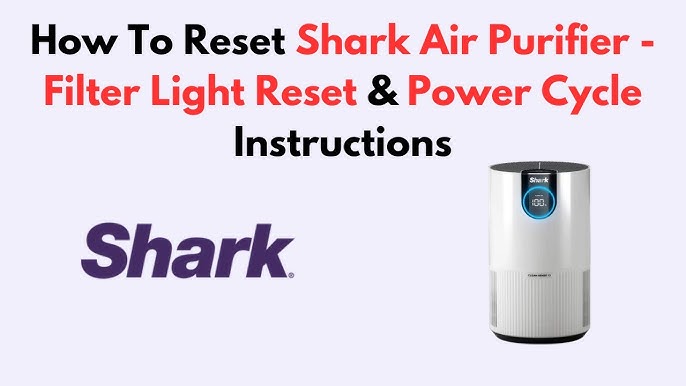
Find the reset button on the control panel. It may be labeled “Reset,” “Filter Reset,” or have a symbol. Press and hold this button for 3 to 5 seconds. The filter light will turn off, confirming the reset. Release the button and turn the purifier back on to check.
Troubleshooting Common Issues
Troubleshooting common issues with your air purifier’s filter light helps keep your device working well. Many problems are simple to fix and do not need professional help. Knowing how to handle these issues saves time and keeps your air fresh and clean.
Filter Light Not Turning Off
The filter light may stay on after changing the filter. This often means the light needs to be reset manually. Check the user manual for reset instructions specific to your model.
Try these steps:
- Press and hold the reset button for 3 to 5 seconds.
- Unplug the purifier, wait 30 seconds, then plug it back in.
- Ensure the new filter is installed correctly and seated firmly.
Sometimes, dust or debris on sensors causes the light to stay on. Clean the sensor area gently with a soft cloth.
Persistent Error Messages
Error messages can show if the filter is not compatible or damaged. Using the wrong filter may trigger warnings and prevent resetting.
Check the following:
- Confirm the filter model matches your air purifier’s specifications.
- Inspect the filter for tears or defects before installation.
- Restart the purifier to clear minor software glitches.
If error messages continue, try resetting the device by unplugging it for a minute. Persistent errors may require contacting customer support for further help.
Credit: www.blueair.com
Maintenance Tips For Longevity
Maintaining your air purifier properly is key to keeping it running efficiently and extending its lifespan. Small, consistent actions can make a big difference in how well your device cleans the air. Let’s look at practical tips to help you get the most out of your air purifier.
Regular Filter Replacement
Filters trap dust, allergens, and other particles, so they get dirty quickly. If you don’t replace them on time, your purifier works harder and becomes less effective.
Check your model’s recommended replacement schedule—usually every 3 to 6 months. Some purifiers have indicator lights to alert you when it’s time to change the filter. Ignoring these signals can reduce air quality and strain the machine.
Consider keeping spare filters at home. This way, you’re not caught off guard when it’s time to swap them out. Have you ever waited too long to replace a filter and noticed a drop in air quality? That experience alone can motivate you to stay on schedule.
Cleaning The Air Purifier
Dust and debris can build up on the outside and inside parts of your purifier. Wiping down the surface with a damp cloth regularly keeps dust from re-entering the air.
Don’t forget to clean the pre-filter if your model has one. These are usually washable and help extend the life of the main filter. Just rinse it gently and let it dry completely before reinserting.
Some air purifiers have fans or sensors that also need occasional cleaning. Use a soft brush or compressed air to remove dust from these areas. When was the last time you opened your purifier for a thorough clean? Taking this extra step can improve performance significantly.
When To Seek Professional Help
Knowing when to call a professional for your air purifier can save you time, money, and frustration. Some issues go beyond a simple filter light reset and require expert attention to ensure your device works safely and efficiently. Recognizing these moments helps you avoid further damage and keeps your indoor air quality at its best.
Signs Of A Persistent Filter Light
If you’ve reset the filter light several times and it keeps turning back on immediately, something might be wrong beyond a simple reset. This could indicate a sensor malfunction or a deeper issue with the filter system. Don’t ignore repeated alerts—getting a professional to check it can prevent bigger problems.
Unusual Noises Or Odors
Have you noticed strange sounds or smells coming from your air purifier? These can be signs of mechanical problems or trapped particles that a regular reset won’t fix. A technician can inspect and clean internal components safely to restore normal operation.
Difficulty Accessing Or Replacing The Filter
Some air purifiers have filters that are hard to reach or require special handling. If you struggle to remove or install the filter without damaging the unit, it’s wise to ask for professional help. Incorrect handling might void your warranty or cause damage.
Device Not Powering On Or Operating Properly
If your air purifier won’t turn on or functions erratically even after resetting the filter light, the issue could be electrical or related to internal parts. Professionals have the tools and knowledge to diagnose and fix these problems safely.
When Your Warranty Covers Service
Check your warranty terms before attempting repairs yourself. Many warranties require professional servicing for certain issues to remain valid. Calling an authorized service center ensures your warranty stays intact and your device is handled correctly.

Credit: www.youtube.com
Frequently Asked Questions
How Do I Reset The Air Purifier Filter Light?
To reset the filter light, press and hold the reset button for 3-5 seconds. The indicator will turn off, signaling a successful reset. This clears the filter usage data and restarts the tracking system for optimal air purifier performance.
Why Won’t My Air Purifier Filter Light Reset?
If the filter light won’t reset, ensure the filter is properly installed. Also, check the user manual for specific reset instructions. Sometimes, power cycling the unit helps. A faulty sensor or software issue may require customer support assistance.
When Should I Reset The Air Purifier Filter Light?
Reset the filter light after replacing the air purifier filter. This lets the device track the new filter’s lifespan correctly. Resetting too early or late can cause inaccurate maintenance alerts and reduce air purifier efficiency.
Can Resetting The Filter Light Improve Air Purifier Performance?
Yes, resetting the filter light helps maintain accurate filter change alerts. This ensures timely replacements, keeping the purifier running efficiently. Proper filter maintenance improves air quality and extends the device’s lifespan.
Conclusion
Resetting your air purifier filter light keeps your device running well. It helps you know when to change the filter next. Follow the steps carefully to avoid mistakes. Regular resets improve air quality in your home. Keep your air purifier clean and maintained for best results.
Taking a few minutes to reset saves time and worry later. Enjoy fresh and healthy air every day. Simple actions make a big difference. Stay safe and breathe easy with a working purifier.

Home Interior Design & Renovation Expert at HomeFixio
Sierra Wellington is a skilled home interior designer with extensive experience in plumbing, fittings, and home renovations. Having worked on numerous residential projects, Sierra specializes in creating functional and aesthetically pleasing spaces. With a keen eye for design and a deep understanding of the technical aspects of home improvement, he provides expert advice on everything from layout planning to fixture installations. As a writer for HomeFixio, Sierra shares his practical insights and creative solutions, helping homeowners elevate their spaces with precision and style.